Article · Comparison
Claude Code vs Codex: you don’t have to pick one, so keep one record
Claude Code is Anthropic’s coding agent and Codex is OpenAI’s. Both run in a terminal, read a project instructions file, connect to tools over MCP, script from the command line and delegate to subagents. Pick by the account you already pay for and a test on your own repo. If your team uses both, keep one record of the work.
Read against Anthropic’s Claude Code docs, OpenAI’s Codex docs and the Codex CLI repository on 2026-10-08. Both tools change often, so check the vendor pages before you rely on a detail. This page does not rank the two on output quality. Neither the vendors’ docs nor we can give you that number for your code, and a method for getting it is below.
- The feature lists overlap more than the results page suggests. Terminal agent, instructions file, MCP, skills, subagents, non-interactive mode and a cloud option all appear in both vendors’ own docs.
- The real differences are accounts and files. Claude Code signs in with a Claude subscription or an Anthropic Console account. Codex signs in with a ChatGPT plan or an API key. The instructions file is CLAUDE.md for one and AGENTS.md for the other.
- Choose by job, then verify on your repo. A three-task bake-off using your own merged pull requests beats any head-to-head test written on someone else’s codebase.
- Using both is normal, and it has a cost. Two instruction files, two permission setups, two session histories and two bills. Only the first is easy to fix.
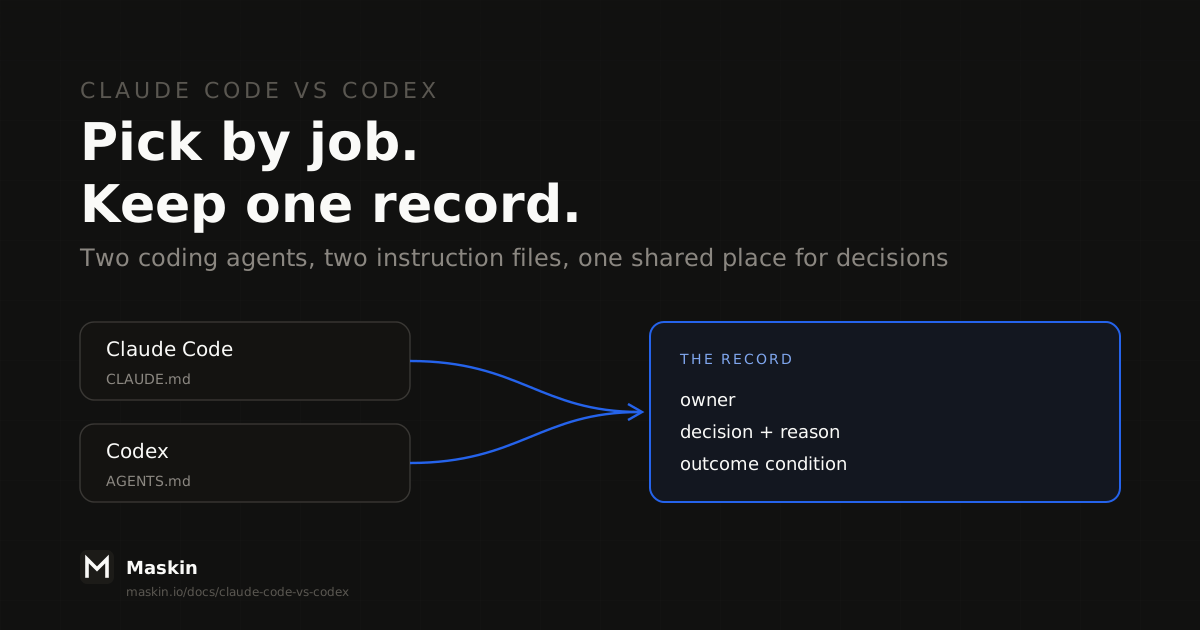
- Neither tool is a team’s record. What was decided, who owned it and whether it worked has to live somewhere both tools can reach. A tracker you already use can hold it. Maskin is one way to do it with typed objects.
Claude Code vs Codex at a glance
This table sticks to what each vendor’s own pages state. “Not stated” means the page we read does not say, not that the feature is absent.
| Claude Code | Codex | |
|---|---|---|
| Maker | Anthropic | OpenAI |
| Where it runs | Terminal, VS Code, JetBrains, desktop app, web and mobile | Terminal CLI, IDE extension, cloud environments via codex cloud |
| Sign in | Claude subscription or Anthropic Console account; the terminal CLI, VS Code and JetBrains also support third-party providers | ChatGPT Plus, Pro, Business, Edu or Enterprise plan, or an API key with extra setup |
| Project instructions | CLAUDE.md; reads AGENTS.md when no CLAUDE.md is present | AGENTS.md, with AGENTS.override.md for overrides |
| Instruction limits | CLAUDE.md imports nest up to four hops | 32 KiB combined by default (project_doc_max_bytes) |
| Non-interactive mode | claude -p | codex exec |
| Extending it | Skills, hooks, MCP, subagents, Agent SDK | Skills and plugins, MCP, subagents |
| Cloud and scheduled runs | Claude Code on the web; routines that run in the cloud | codex cloud |
| License | Not stated on the overview page | Apache-2.0 (the CLI repository) |
The Claude Code column comes from Anthropic’s overview and memory pages. The Codex column comes from OpenAI’s Codex CLI overview and AGENTS.md guide and the openai/codex README. “Codex” here means the CLI and its cloud mode, not every ChatGPT surface that uses the name.
How to choose between Claude Code and Codex by job
Most comparison pages answer “which is better” with a score. The question that decides your week is narrower: which one fits the job in front of you, given what you already have. Run these five checks in order and stop at the first one that settles it.
- Which account do you already pay for? A team on ChatGPT Business or Enterprise already has Codex access. A team on a Claude plan already has Claude Code. Adding a second subscription to test the other is the cheapest experiment you can run, so do it for one month, not one year.
- Which provider must your code go through? If your security team approved one vendor, or one cloud, that decides it. Anthropic documents third-party provider support for the terminal CLI, VS Code and JetBrains. Check OpenAI’s pages for the Codex equivalent, because we could not confirm it from the pages we read.
- Do you need to read or change the tool itself? The Codex CLI repository is Apache-2.0. Anthropic’s overview page does not state a license for Claude Code. If you need to fork or audit the agent, that is a real difference. If you only need to use it, it is not.
- Where does the work run? In your terminal and editor: both. Unattended in the cloud: Claude Code has routines and a web surface, and Codex has codex cloud. Scripted in CI:
claude -pandcodex execdo the same job, so what matters is how you authenticate in the pipeline. - Which customization do you rely on? Hooks, which run shell commands before or after actions, are a documented Claude Code feature. Plugins are a documented Codex feature. If your workflow depends on one of them, check the other tool’s docs for the equivalent before you move.
If none of the five settles it, you are choosing on output quality, and the only evidence that counts is your own.
A bake-off on your own repo
Head-to-head tests on the results page are run on someone else’s code, with model versions that have since changed. You can get a more useful answer in an afternoon.
- Pick three merged pull requests. One small bug fix, one feature that touched several files, one refactor. You already have the reviewed, accepted diff for each.
- Start each tool from the commit before the merge. Give both the same ticket text and the same instructions file, so the only variable is the agent.
- Score the same five things for each run: do the tests pass, how big is the diff compared with the merged one, what would a reviewer flag, how long did you wait, and how many times did you have to step in.
- Record the result as a decision, not a vibe. Write down which tool you chose for which kind of job and why. In three months, that sentence is what your team will want. It is also the kind of entry the record described further down is for.
This is our method, not a measurement. Maskin has not benchmarked the two tools against each other and makes no claim about which writes better code.
What changes when a team uses both
One developer switching tools between jobs is easy. A team where some people prefer one tool and some the other, or where an automated job runs on one and humans on the other, runs into five frictions.
1. Two instruction files drift apart. Codex reads AGENTS.md. Claude Code reads CLAUDE.md. Anthropic’s memory page says Claude Code reads AGENTS.md as the project instructions when there is no CLAUDE.md in the working directory or above it (this needs Claude Code v2.1.277 or later). If both files exist, it reads only the CLAUDE.md files. So a repository that has both quietly gives each tool different rules. The documented fix is a CLAUDE.md that imports AGENTS.md, so there is one source of truth (CLAUDE.md vs AGENTS.md walks through that setup and what changes at team scale). Mind the size cap too: Codex stops adding instruction files once the combined size reaches 32 KiB by default, so a long root AGENTS.md can push out the more specific ones nested below it. Where those files sit among the other layers is covered in agent skills vs MCP vs Cursor rules vs workflows.
2. Permissions live in two places. Codex exposes approval modes through its /permissions command and runs in a sandbox. Claude Code has its own settings and hooks, and its memory page says it treats CLAUDE.md as context, not enforced configuration, and points to a PreToolUse hook to block an action outright. If you want the same guardrails on both, you configure and review them twice.
3. Session history is per vendor. Each Claude Code session begins with a fresh context window, and what carries over is CLAUDE.md plus the notes Claude writes for itself. Codex sessions sit apart from those, and we found no documented way for the two tools to share history. Neither is a timeline a colleague can open. The same gap, from the memory side, is in agent memory across sessions.
4. Decisions disappear into whichever tool made them. “Why did we change the retry logic this way” is answered in a chat transcript on one laptop, in one vendor’s format. It is the same gap as with Claude Code agent teams: a session is not a place to keep a decision.
5. Cost and usage split across two bills. You cannot answer “what did this feature cost us in agent time” from one place. Plans and limits differ by vendor and plan and change often, so read the current pricing pages rather than a table that would be stale by the time you read it here.
Only the first of these has a fix inside the tools. The other four need something that sits above them.
Where the record lives
You do not need a product for this. You need four things written down in a place that outlives any one session and that both tools, and the people using them, can reach:
- An owner per piece of work. One name, a person or an agent, on each item.
- A decision with its reason. What you chose, what you rejected, who approved it. The bake-off result is a decision.
- A stated outcome condition. What “done” means in terms you can check later, not “the agent said it finished”.
- Links between them. The request that started the work, the decision it led to, the changes that carried it out.
A tracker works if you add those fields by convention. The catch is that most trackers have no slot for a decision’s reason or an outcome condition, so they get stuffed into comments and nobody can query them. Whichever tool you use, keep the record independent of the agent. Which agent ran the work should be one field on the item, not the item itself. Then moving from one tool to the other, or running both, changes one field.
An illustrative scenario
Take a team of four. Two developers use Claude Code and two use Codex. A recurring job that triages dependency updates runs on whichever account has headroom that week. In March a developer decides to pin a major version of a library because the upgrade breaks a plugin. That reasoning lives in one developer’s Codex session. In May the job, running on Claude Code, proposes the upgrade again. Nobody can say why it was pinned, so someone redoes the investigation.
With a record that holds the pin as a decision with a reason and an outcome condition (“revisit when the plugin supports the new major”), whichever tool runs the job reads the same entry and skips the upgrade. This scenario is made up to show the gap. It is not a Maskin customer story.
How Maskin keeps the record
Maskin is an open-source (Apache 2.0), MCP-native, self-hostable agentic workspace where people and agents work on shared typed objects. A signal enters as an insight, gets shaped into a bet with a win condition, and breaks into tasks. Each object has a driver (an owner, person or agent) and a comment thread, and a bet closes against its stated condition. The objects are the work, not a log of it.
Maskin runs its agent sessions on the Claude Code CLI by default, or on the Codex CLI, each inside an isolated microVM. So the two tools in this comparison are the two it runs on, and the record is the same whichever CLI ran the session. That answers the decision and ownership gaps in the friction list above. Some honest limits: you bring your own Anthropic or OpenAI access, local models are not a path we have validated, and Maskin is early, so evaluate the architecture rather than a long track record. Maskin does not replace either CLI. It holds what they produced, not how they ran.
If you want to try it, you can self-host it. For the longer argument, read the closed-loop workspace and agent observability. Related decisions: agent skills vs MCP vs Cursor rules vs workflows covers where shared instructions live, agent memory across sessions covers what survives between runs, and AI product workspace vs AI coding agent covers where a workspace sits next to your editor. For a wider look at open-source coding agents, see the open source AI coding agent alternatives and the open source Codex alternative. If you are not an engineer, Claude Code for product managers covers using Claude Code day to day.
A quick decision rule
- Solo, one account, one repo: use the tool your account already includes. Run the bake-off before you add a second subscription.
- Solo and curious: run the three-PR bake-off. It costs an afternoon and tells you about your code.
- A team that has split across both tools: make one instructions file (AGENTS.md, imported by CLAUDE.md) before you do anything else.
- Two or more people, or you will need to explain a choice next quarter: add the four-field record. It works with either tool and it is the part that lasts.
- Unattended jobs on either tool: give each job an owner and an outcome condition in the record, so a missed run is something a person sees.
FAQ
Which is better, Claude Code or Codex?
Neither wins on every job, and no vendor documentation gives you a score for your code. Both offer a terminal agent, an instructions file, MCP, skills, subagents and a non-interactive mode. Decide on the account you already pay for, the provider your security team approved, and a three-task test on your own merged pull requests.
Can you use Claude Code and Codex together?
Yes. They are separate tools with separate sign-ins, so nothing stops a team from running both. The practical problems are two instruction files, two permission setups and two session histories. Share one AGENTS.md through a CLAUDE.md import, and keep decisions and outcomes in a record outside both tools.
Do Claude Code and Codex read the same instructions file?
Not by default. Codex reads AGENTS.md. Claude Code reads CLAUDE.md, and per Anthropic’s memory page it reads AGENTS.md only when no CLAUDE.md exists in the working directory or above (v2.1.277 or later). To share one file, have your CLAUDE.md import AGENTS.md. The CLAUDE.md vs AGENTS.md page has the full per-tool table.
Is Codex CLI open source?
Yes. The openai/codex repository on GitHub is licensed Apache-2.0, and its README describes Codex CLI as a coding agent from OpenAI that runs locally on your computer. Anthropic’s Claude Code overview page does not state a license, so check Anthropic’s current terms if that matters to you.
Which is cheaper, Claude Code or Codex?
It depends on your plan and how much you use it, and both vendors change plans and limits often. Claude Code needs a Claude subscription or Anthropic Console account. Codex comes with ChatGPT Plus, Pro, Business, Edu and Enterprise plans, or runs on an API key. Compare the vendors’ current pricing pages against your own usage.
Do Claude Code and Codex have usage limits?
Both are gated by the plan or API account you sign in with. We found no fixed numbers on the pages we read, and limits change often, so we print none. If a limit blocks a long-running job, that is one reason teams end up on both tools, and a reason to track which job ran on which account.
Ready to run the loop on your own workspace?
Try Maskin freeGetting started is free
Self-host Maskin today, or take a hosted trial. Run Claude Code, Codex or both on the work, and keep one record of what was decided. The agentic-workspace cornerstone and the self-hosted AI workspace guide are the two best next reads.